
Milestones & Delivery Roadmaps
Milestones represent key deliverables or phase completions in your project (e.g., Phase 1: Wireframes Approved, Phase 2: Beta Staging Deployment, Phase 3: Production Cutover).
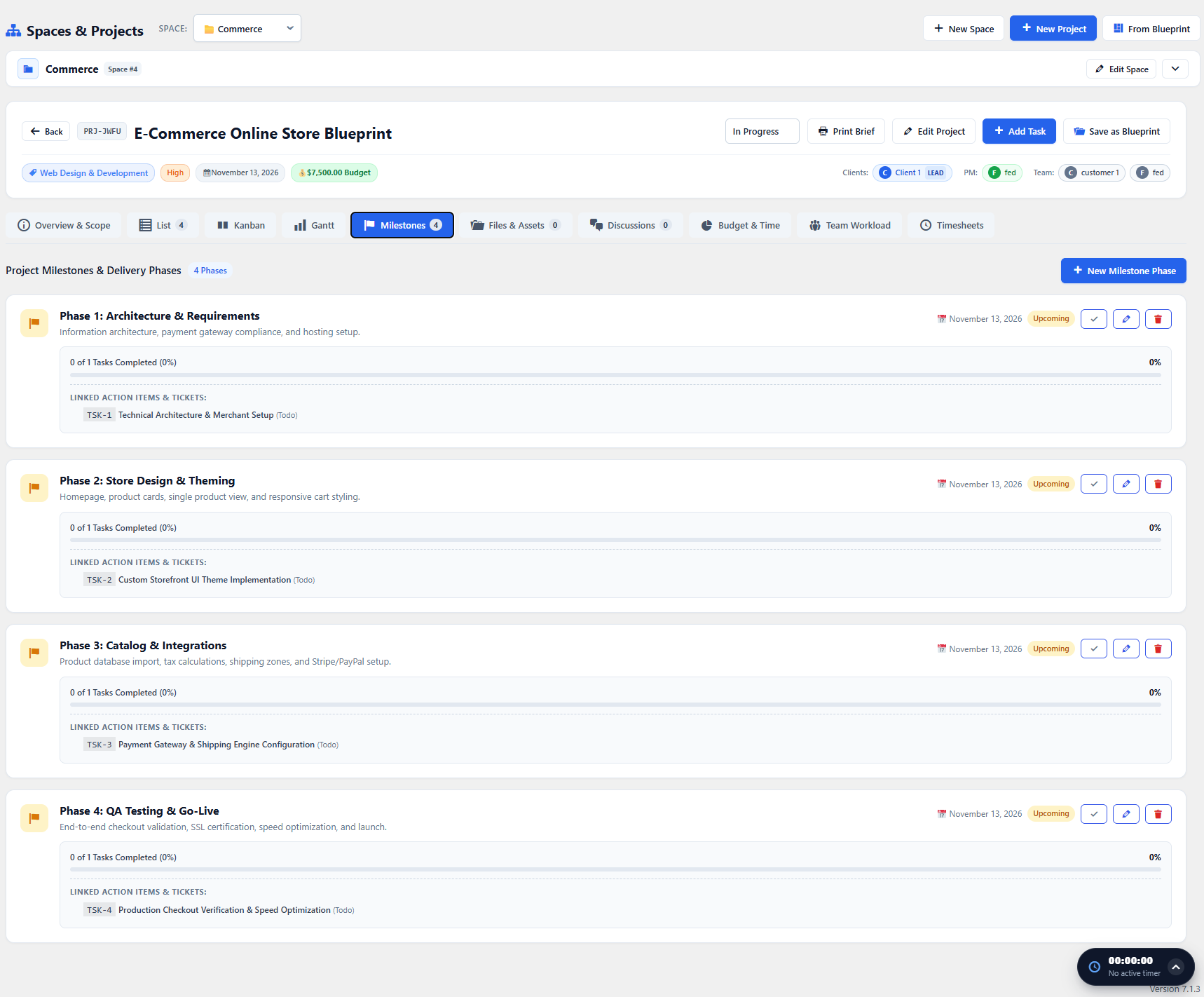
Creating & Managing Milestones
Section titled “Creating & Managing Milestones”- Open the project workspace and navigate to the Milestones tab.
- Click + Add Milestone.
- Specify:
- Title: Delivery objective.
- Due Date: The deadline for closing all linked tasks.
- Description: Acceptance criteria and sign-off requirements.
- Click Save Milestone.
Linking Tasks to Milestones
Section titled “Linking Tasks to Milestones”When creating or editing any task, choose the milestone from the dropdown.
The Milestones tab will automatically track:
- Progress Ratio: Percentage of completed tasks linked to that milestone.
- Estimated vs Actual Hours: Sum of all hours consumed by that milestone phase.
- Status Indicator: Upcoming, In Progress, or Completed.