
Project Categories & Priority Levels
Organize initiatives and establish clear sprint urgency by configuring custom categories and priority levels.
Project Categories
Section titled “Project Categories”Categorizing projects makes it easy to filter large multi-space rosters.
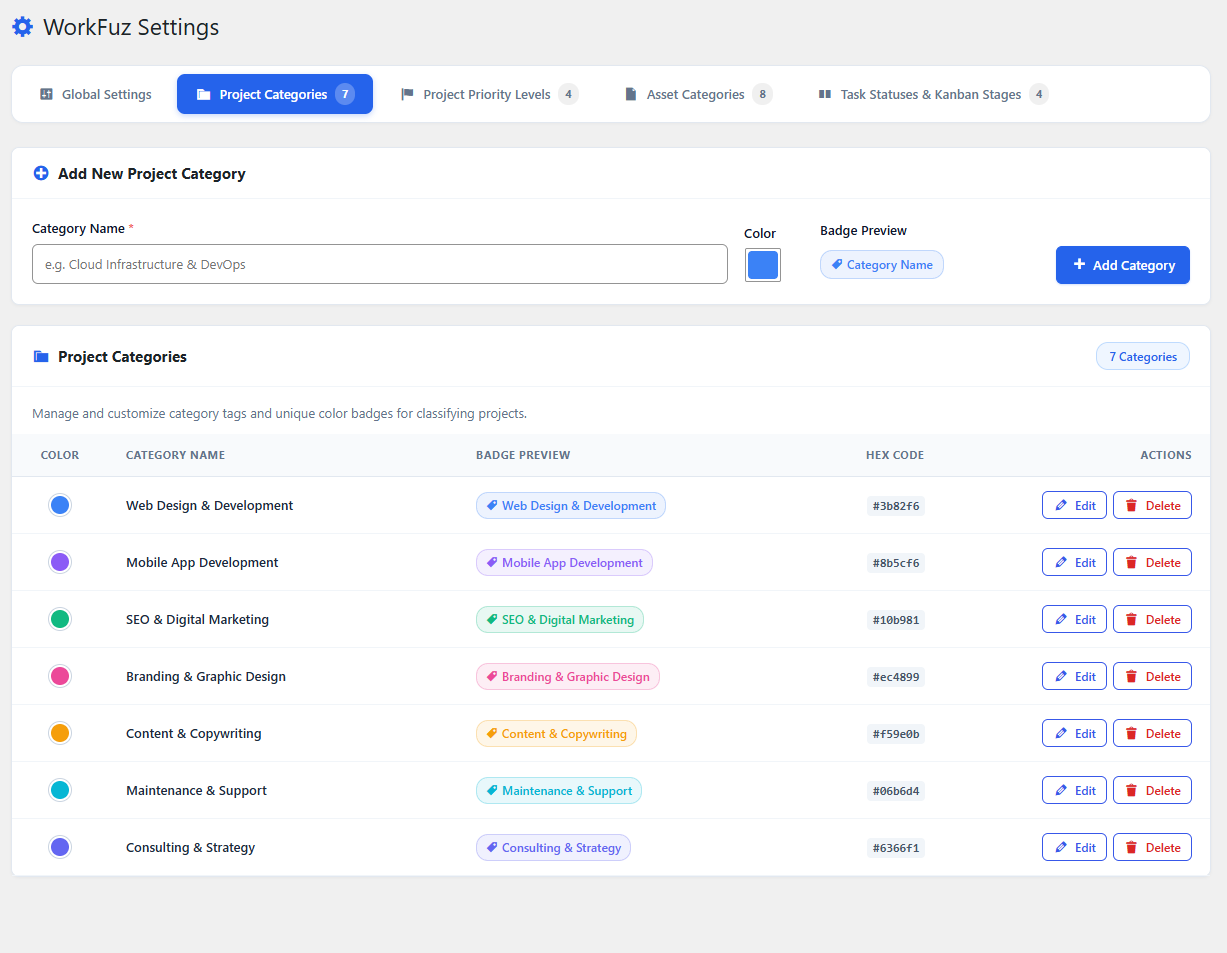
Managing Categories:
Section titled “Managing Categories:”- Add custom categories such as Web Development, UI/UX Design, Mobile App, SEO & Marketing, or DevOps.
- Assign distinct color badges for instant identification in Space Grid and List views.
Task Priority Levels
Section titled “Task Priority Levels”Define custom urgency indicators for task tickets.
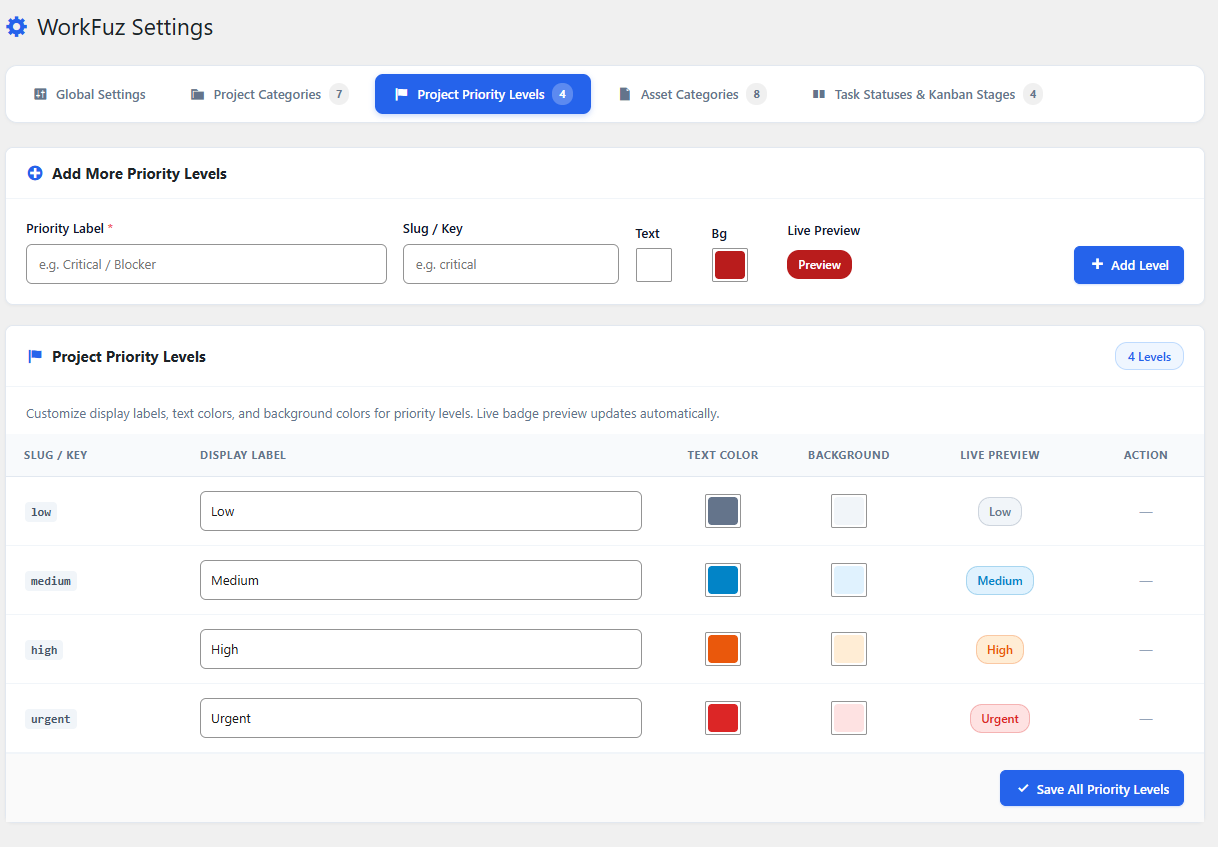
Standard Priority Defaults:
Section titled “Standard Priority Defaults:”- Urgent (Rose): Critical production bug or deadline bottleneck.
- High (Amber): Priority deliverable for the active sprint.
- Medium (Sky Blue): Standard scheduled task.
- Low (Slate): Backlog improvement or minor refactor.