
Creating & Managing Spaces
Spaces can be created either through the WordPress Admin dashboard or natively via the Frontend Dashboard interface.
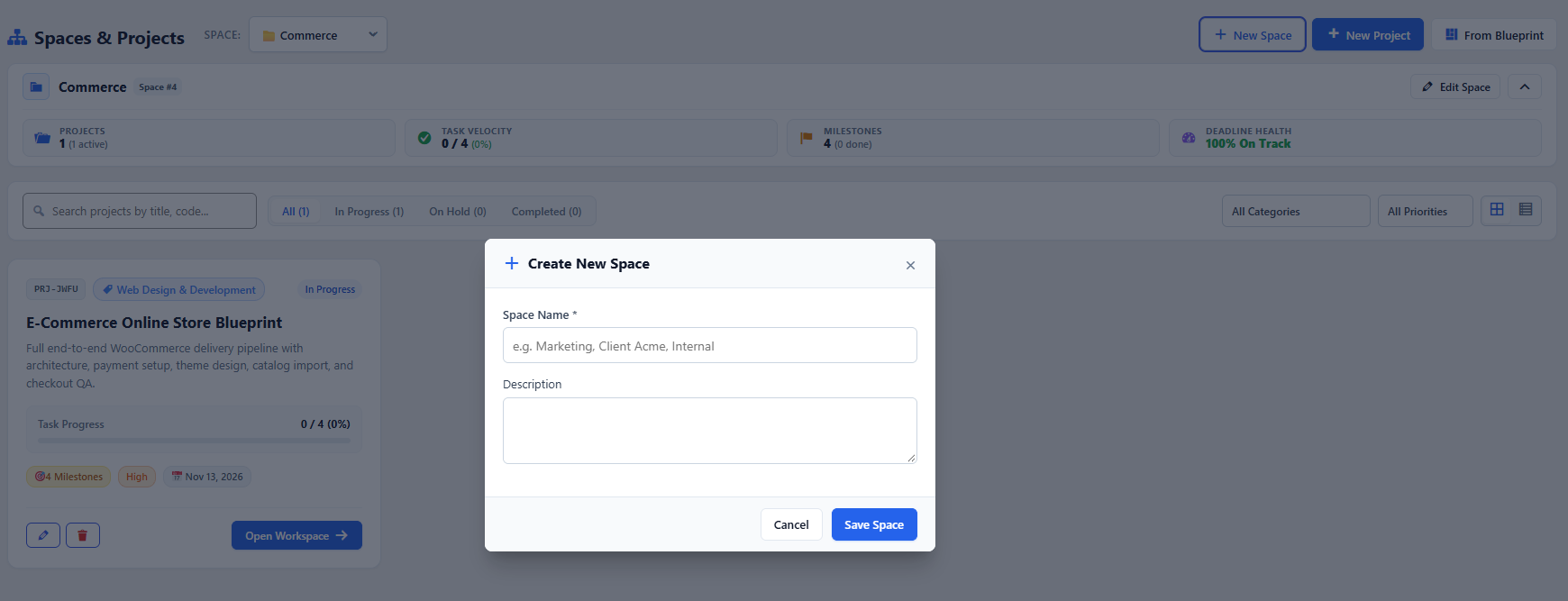
Step-by-Step: Creating a New Space
Section titled “Step-by-Step: Creating a New Space”- Navigate to the WorkFuz main dashboard.
- Click the + New Space button located in the top-right header action bar.
- Fill in the Space Creation form:
- Space Title (Required): Give your space a distinct label (e.g.,
Alpha Client Solutions,Design Studio, orCore Infrastructure). - Description: Add brief context regarding the purpose and goals of the space.
- Space Manager: Designate a user from your team who will manage projects, approve milestones, and assign members.
- Access / Privacy:
- Check Restricted if only invited members and clients should see projects in this space.
- Leave unchecked to make it visible to all authorized internal staff.
- Space Members: Select initial team members from the searchable user checklist.
- Space Title (Required): Give your space a distinct label (e.g.,
- Click Create Space to save.
Editing & Archiving Spaces
Section titled “Editing & Archiving Spaces”To modify an existing space:
- Open the space from the sidebar navigation.
- Click the gear icon or Space Settings dropdown.
- Update title, manager, or member lists as needed.
- When an initiative concludes, you can Archive the space to hide it from active views while preserving historical time logs and task audits.