
Creating & Configuring Projects
Projects can be initialized from scratch or launched in 1 click from a Blueprint template.
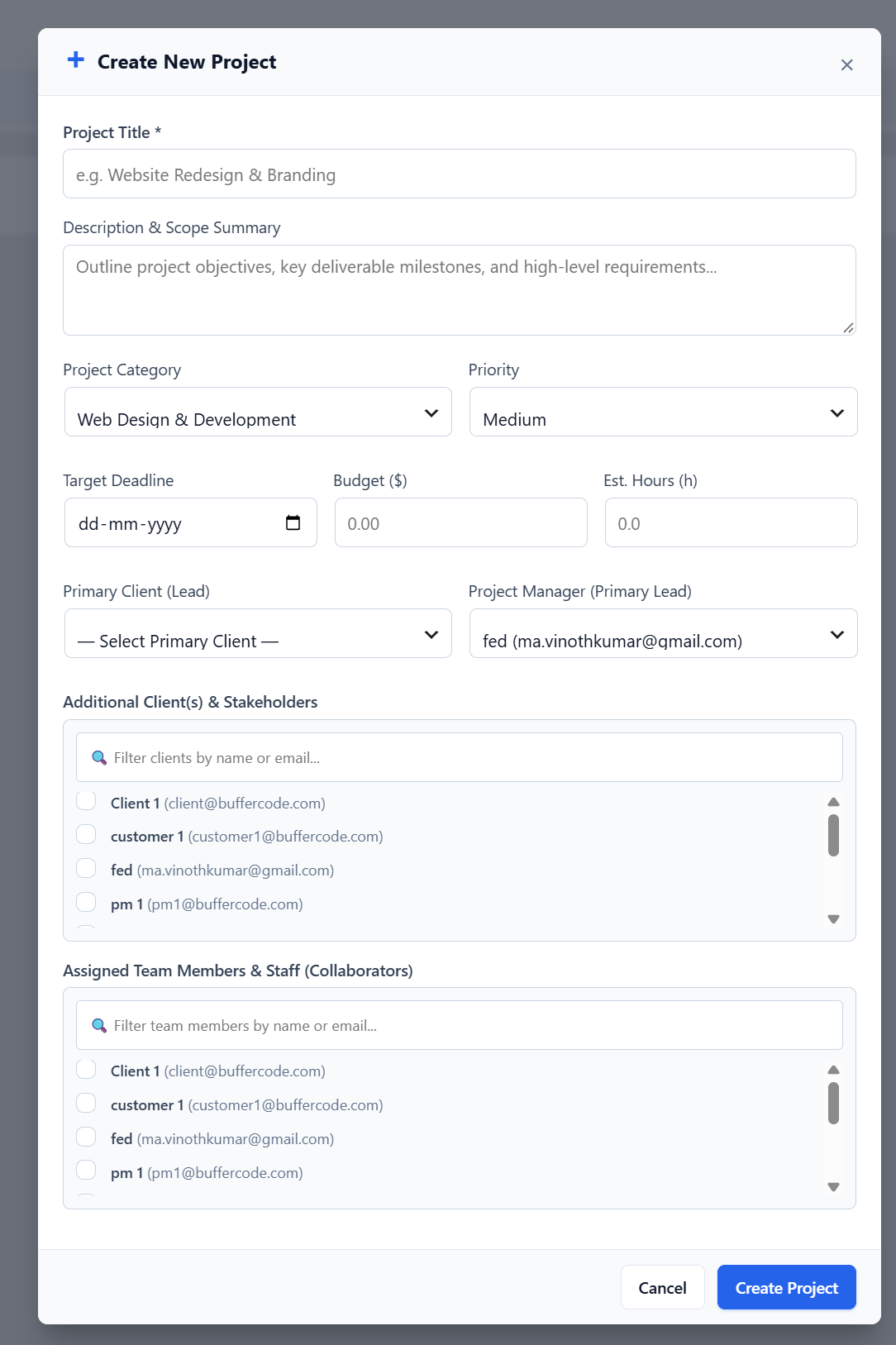
Step-by-Step: Creating a Project
Section titled “Step-by-Step: Creating a Project”- Navigate to the desired Space where the project will live.
- Click the + New Project button.
- Fill in the Project details:
- Project Title (Required): Name your project (e.g. Website Redesign & E-Commerce Migration).
- Description: Provide scope, deliverables, and requirements.
- Project Manager: Assign the lead team member responsible for day-to-day delivery.
- Category: Select a classification (e.g., Web Development, Graphic Design, DevOps).
- Start & Due Dates: Establish delivery milestones. The due date caps all child tasks and milestone deadlines automatically.
- Budget & Currency: Set an optional financial cap (e.g.,
$15,000 USD). - Estimated Hours: Set the projected total hours for the initiative.
- Project Team Members: Select assignees from the user checklist.
- Click Create Project.
Managing Project Team Access
Section titled “Managing Project Team Access”Team members assigned during project creation will appear pinned under the ⭐ Project Team section in all task assignee dropdowns across the workspace, eliminating clutter and preventing accidental assignments.