
Space Project Views (List & Grid)
When browsing projects within a Space, WorkFuz provides two display layouts: List View and Grid View.
List View
Section titled “List View”The List View provides a clean, dense tabular layout ideal for managers monitoring multiple projects simultaneously.
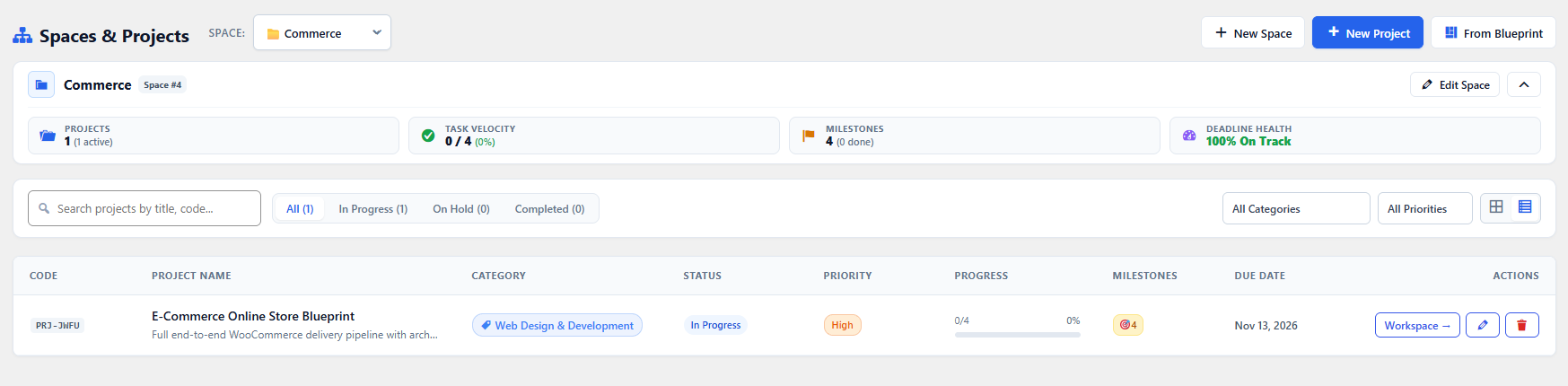
What the List View Displays:
Section titled “What the List View Displays:”- Project Title & Space Container: Quick link into the project workspace.
- Project Manager: Avatar pill and display name.
- Due Date & Health: Color-coded delivery deadline.
- Progress Bar: Completion percentage based on closed tasks and milestones.
- Task Counter: Active vs completed ticket ratio.
- Quick Actions: Edit, duplicate, or archive projects with one click.
Grid View
Section titled “Grid View”The Grid View renders cards for each project, emphasizing visual health, team avatars, and milestone progress.
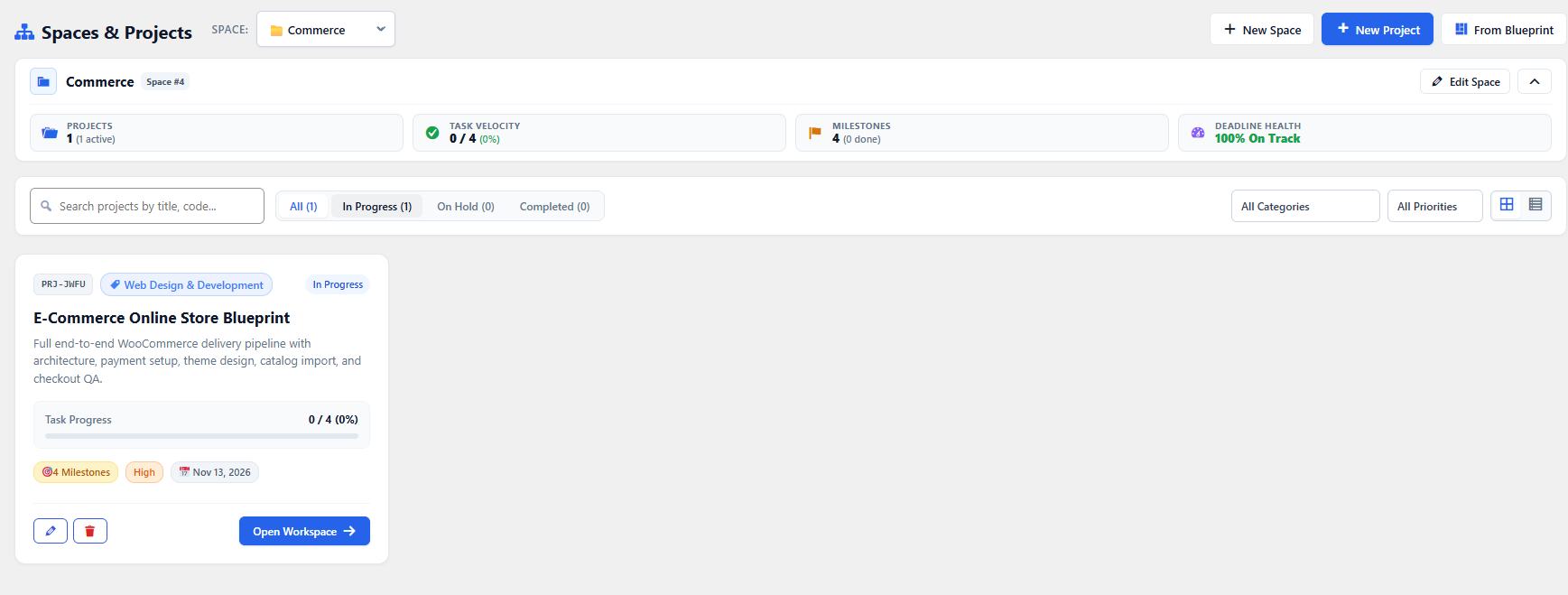
What the Grid View Displays:
Section titled “What the Grid View Displays:”- Project Category Pill: Color-coded category badge (e.g. Development, Design, Marketing).
- Milestone Delivery Meter: Progress ring or bar showing sprint advancement.
- Assigned Team Avatars: Visual list of team members actively assigned to the project.
- Financial & Time Metrics: Quick glance at estimated hours and allocated budget.