
Dynamic Drag-and-Drop Kanban Board
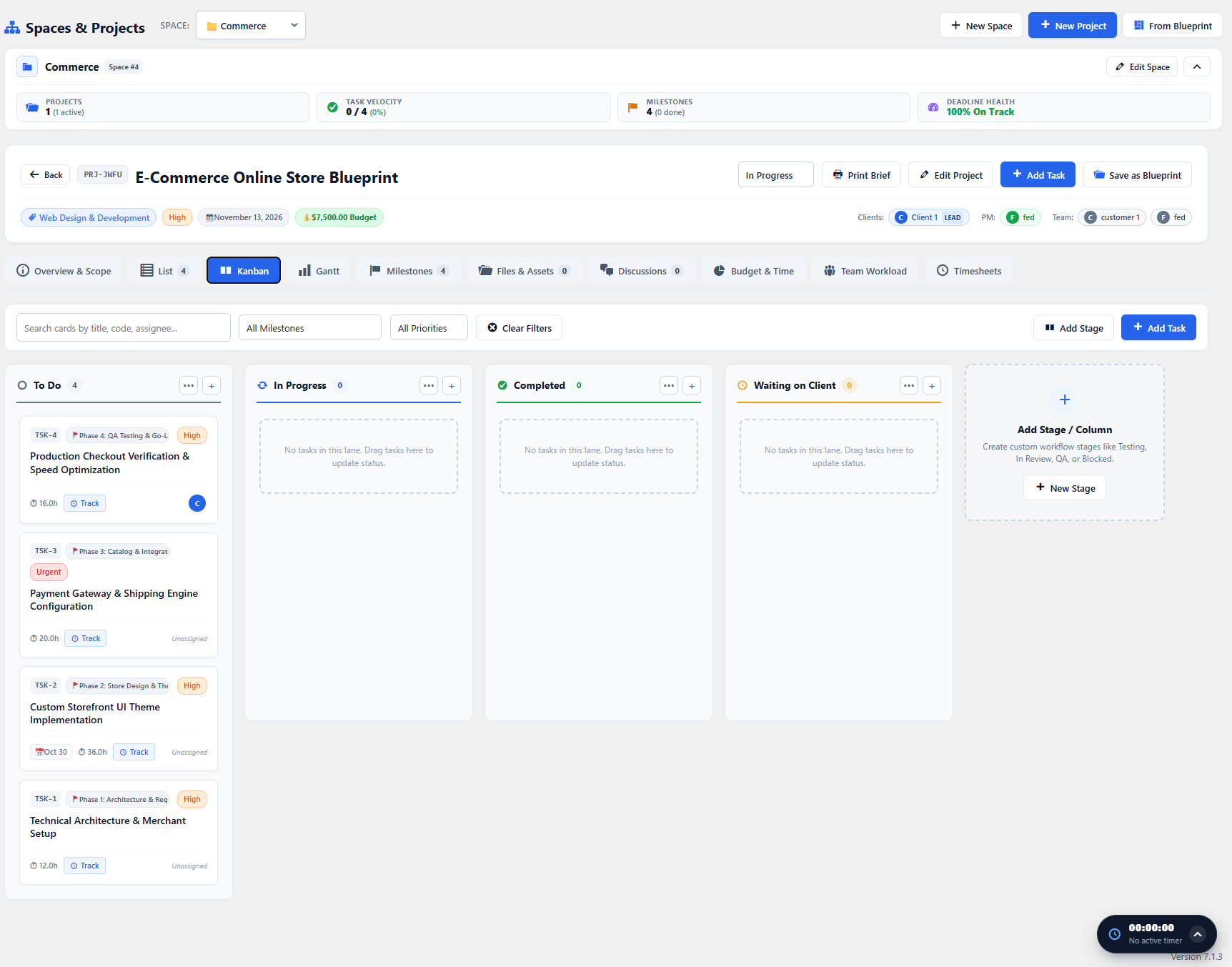
The Kanban Board provides an interactive visual workspace where tasks move fluidly across customizable status columns.
Kanban Workflows & Columns
Section titled “Kanban Workflows & Columns”By default, WorkFuz provides standard agile workflow columns:
- To Do: Backlog tickets ready for active development.
- In Progress: Work currently in flight.
- In Review / Testing: Deliverables awaiting QA or client sign-off.
- Completed: Accepted and closed tasks.
You can customize, reorder, or add new columns (e.g., Blocked, Client Review, Staging) in Settings → Task Statuses & Kanban Stages.
Drag-and-Drop Operations
Section titled “Drag-and-Drop Operations”- Move Between Stages: Drag any task card and drop it into a new column. Status changes and activity logs update via authenticated AJAX instantly with zero page reloads.
- Card Telemetry: Each card clearly displays its ticket reference, priority badge, linked milestone, estimated hours, and assignee avatar.
- Quick Task Addition: Click the
+button in any column header to rapidly append a new task directly into that status.