
Task Lifecycle & Single Task Details
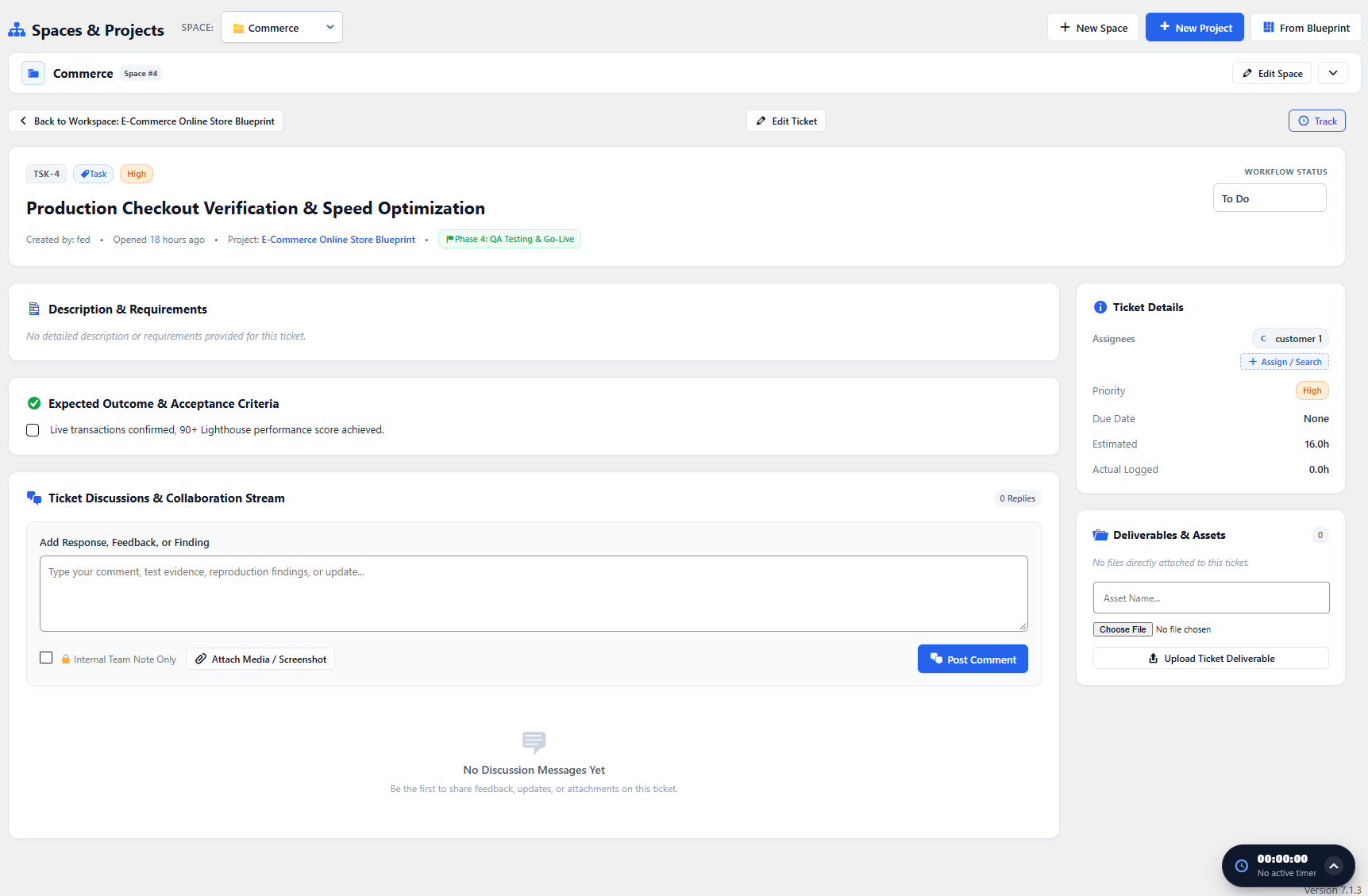
Tasks are the fundamental work units in WorkFuz. Each task carries unique ticket references (e.g., TSK-104), priorities, estimates, checklists, file attachments, and discussion threads.
Creating a Task
Section titled “Creating a Task”Tasks can be created from:
- The + Create Task button in the header.
- The + icon at the top of any Kanban column.
- The inline task creator inside the Task List View.
Task Fields:
Section titled “Task Fields:”- Title (Required): Clear, actionable task summary.
- Ticket Type: Task, Bug/Defect, Feature, or Improvement.
- Description & Requirements: Rich-text brief explaining acceptance criteria.
- Milestone: Linked parent milestone.
- Priority: Urgent, High, Medium, or Low.
- Assignees: One or multiple team members.
- Due Date: Target completion date (capped by parent project due date).
- Estimated Hours: Projected hours needed to deliver the ticket.
The Single Task Drawer
Section titled “The Single Task Drawer”Clicking any task opens the comprehensive Task Details drawer:
- Checklists & Subtasks: Break large tickets down into actionable checkboxes.
- Live Stopwatch Timer: One-click play/pause stopwatch that records time logs directly to the task.
- Time Log History: Chronological audit of every hour logged by team members.
- File Deliverables: Attach screenshots, PDFs, or design assets directly to the task.
- Threaded Discussions: Mention colleagues (
@username) and leave internal notes or client feedback.